Configuring User Settings for Aggregates
The Settings > User Settings tab controls different aggregate modes you can put AtScale in for a set period of time. These modes only apply to the current user, with some exceptions as noted below.
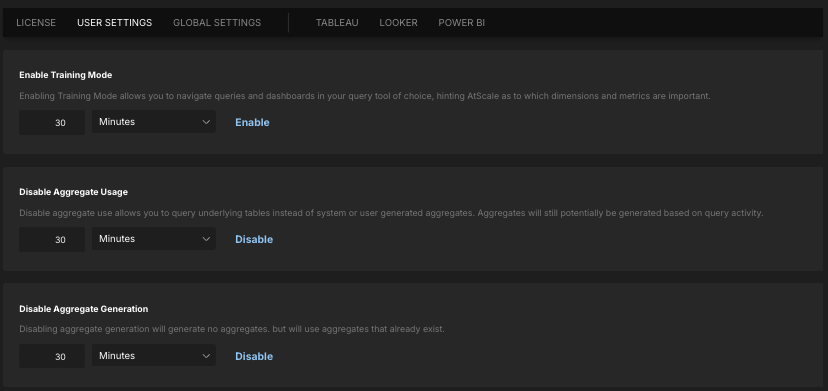
The User Settings tab is only accessible by users with certain roles. For more information, see Identity Broker Default Roles.
-
Enable Training Mode turns on Training Mode for aggregates. Training Mode enables you to generate demand-defined aggregates by running queries representative of those that analysts will issue.
NoteWhen Training Mode is enabled, queries issued from BI tools (from any user) will not return any data.
-
Disable Aggregate Usage disables the use of system- and user-generated aggregates, so you can query the underlying tables. Aggregates may still be generated based on query activity.
-
Disable Aggregate Generation turns off aggregate generation, so no new aggregates are created. Existing aggregates are still used for queries.