Add Your Data Warehouse to AtScale
After adding your repository to AtScale, you should connect your data warehouse.
To add your data warehouse to AtScale:
-
In Design Center, open the Datasources panel.
-
Click the + icon and select the type of data warehouse you want to connect to.
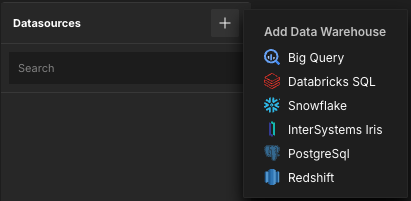
The Add Data Warehouse panel opens.
-
Specify the data warehouse properties, ensuring the Database and
Aggregate schema both exist.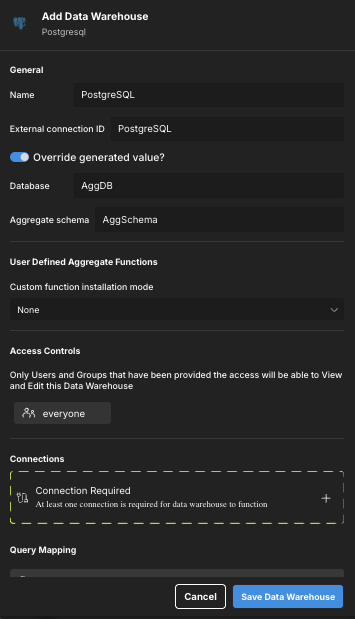
-
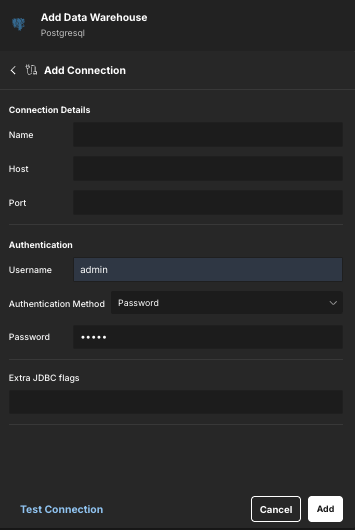
In the Connections section, click Connection Required. The Add Connection panel opens.
-
Specify the connection properties.
-
(Optional) Click Test Connection to test the connection.
-
Click Add. The connection is added to the data warehouse. You can add more connections as needed.
-
Click Save Data Warehouse.
Next, you should add the AtScale tutorial data to your data warehouse.